

AI coding platforms now support the entire software lifecycle — from learning and prototyping to maintaining enterprise-scale systems and automating full development tasks. Below is the complete and revised workflow-oriented guide, with clear explanations, Best for, and Strength sections for developers encountering these tools for the first time.
1. GitHub Copilot
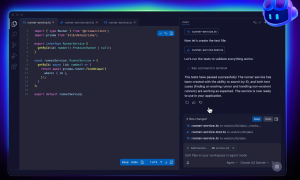
GitHub Copilot works as an AI pair programmer embedded directly in your IDE. It suggests code in real time, generates functions from comments, and adapts to your coding style as you work. For many developers, it quickly becomes part of their daily workflow.
Best for: Everyday coding and autocomplete
Strength: Seamless IDE integration and broad language support
Pricing: Available as a paid subscription for individuals and teams, with discounted or free access for verified students and open-source maintainers. Enterprise pricing is offered through GitHub Enterprise plans.
- Individuals: from ~$10/month
- Business & Enterprise: from ~$19–$39/user/month
- Free for verified students and open-source maintainers
2. ChatGPT
ChatGPT is a conversational AI widely used by developers to generate code, debug issues, and reason through design decisions. It is not tied to a specific IDE, making it flexible across languages, frameworks, and platforms. Developers often rely on it as a thinking partner.
Best for: Debugging, explanations, and system design
Strength: Strong reasoning and versatility
Pricing: Offers a free tier with usage limits, alongside paid plans that provide access to more advanced models, higher usage caps, and faster responses. Team and enterprise plans are available for organizations.
- Free tier: $0 (usage limits apply)
- Plus plan: ~$20/month
- Team & Enterprise: custom pricing (typically $25+ per user/month)

3. Amazon CodeWhisperer
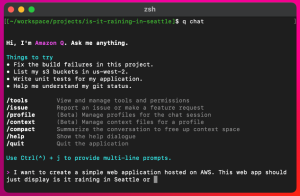
Amazon CodeWhisperer is optimized for cloud development, especially within the AWS ecosystem. It generates code aligned with AWS services and highlights potential security vulnerabilities. This makes it well suited for production-focused teams.
Best for: AWS and cloud-native development
Strength: Security-aware suggestions and AWS expertise
Pricing: Includes a free individual tier for basic usage, with paid professional and enterprise options offering enhanced security scanning and administrative controls.
- Individual tier: Free
- Professional: from ~$19/user/month
- Enterprise: custom AWS pricing
4. Tabnine
Tabnine provides AI-driven code completion with a strong focus on privacy. It supports local and private deployments, ensuring sensitive code never leaves controlled environments. This makes it a popular choice for enterprise and regulated teams.
Best for: Privacy-sensitive and enterprise environments
Strength: On-premise and private model support
Pricing: Offers a free tier with basic completion, plus paid Pro and Enterprise plans that unlock advanced models, team features, and private deployment options.
- $59/user/month (annual subscription)
5. Replit
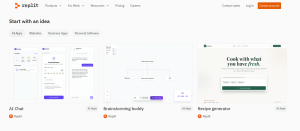
Replit is a browser-based development environment that removes the need for local setup. Its AI features assist with coding, debugging, and collaboration in real time. Replit is widely used for learning, hackathons, and fast prototyping.
Best for: Learning, prototyping, and collaboration
Strength: Zero-setup, cloud-based workflow
Pricing: Provides a free tier with limited resources, while paid plans unlock more compute, private projects, and enhanced AI capabilities. Team and education plans are also available.
- Free tier: $0
- Replit Core: $20/month
- Teams: $40/user/month
- Enterprise: custom pricing
6. Cursor
Cursor is an AI-first code editor built around natural language interaction. Developers can ask questions about their entire codebase, refactor multiple files at once, and generate features using prompts. AI is central to the editor, not an add-on.
Best for: AI-native coding workflows
Strength: Deep codebase awareness and refactoring
Pricing: Typically offered via a subscription model, with a limited free trial and paid plans that increase usage limits and unlock advanced AI features.
- Hobby: $0/month
- Pro: $20/month
- Pro+: $60/month
- Ultra: $200/month
7. Sourcegraph Cody
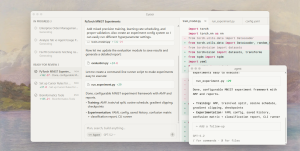
Cody is designed to understand large and complex repositories. It helps developers search, explain, and modify code across massive codebases. This makes it particularly valuable for enterprise teams working with long-lived systems.
Best for: Large-scale and legacy codebases
Strength: Context-aware code intelligence
Pricing: Includes a free tier for individual developers, with paid Team and Enterprise plans that support larger codebases, self-hosting, and advanced integrations.
- $49/user/month
8. Windsurf
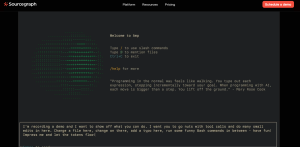
Windsurf offers fast AI-powered autocomplete and chat features across many IDEs. It is designed to be lightweight and easy to adopt without disrupting existing workflows. Many developers use it as a simple, high-performance alternative to heavier tools.
Best for: Fast autocomplete and low-friction adoption
Strength: Speed and broad IDE support
Pricing: Free for individual developers, with paid team and enterprise plans offering collaboration features, analytics, and administrative controls.
- Individual developers: Free
- Pro: $15/user/month
- Team: $30/user/month
- Enterprise: custom pricing
9. JetBrains AI Assistant
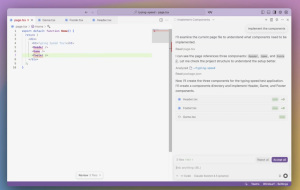
JetBrains AI Assistant is integrated directly into IDEs like IntelliJ IDEA, PyCharm, and WebStorm. It enhances code completion, refactoring, and documentation while leveraging JetBrains’ deep language analysis. The experience feels native and cohesive.
Best for: Developers using JetBrains IDEs
Strength: Native IDE experience and language intelligence
Pricing: Available as an add-on subscription, with some access bundled into select JetBrains plans. Pricing varies by individual, team, and organizational licenses.
- Add-on subscription: from ~$10/month
- Bundled access in select JetBrains plans
- Team & Enterprise licenses available
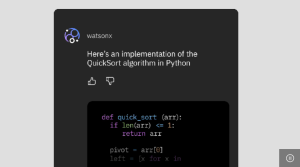
10. IBM watsonx Code Assistant
IBM watsonx Code Assistant focuses on enterprise software modernization. It helps teams document, refactor, and transform legacy systems while meeting governance and compliance requirements. The platform is designed for stability and long-term maintainability.
Best for: Enterprises and regulated industries
Strength: Governance, compliance, and legacy modernization
Pricing: Offered primarily through enterprise contracts, with pricing based on deployment size, use case, and compliance requirements rather than individual subscriptions.
- Essentials: Starting at approximately $2 per 20 task prompts.
- Standard: Starting at $3,000 per month
- On-premises: Upon request
11. Devin
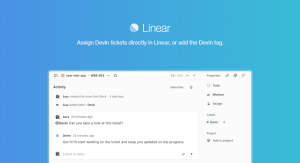
Devin represents a new class of autonomous AI software engineers. It can plan tasks, write and debug code, run tests, and deploy applications independently. Rather than assisting line by line, Devin takes ownership of entire development tasks.
Best for: End-to-end task automation
Strength: Autonomous, multi-step execution
Pricing: Currently positioned as a premium product, typically available through limited access or enterprise-style pricing rather than open individual subscriptions.
- Core – $20/user/month
- Team – $500/month
- Enterprise – custom pricing
12. Claude
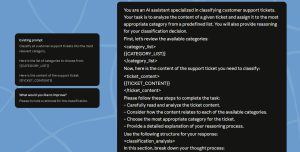
Claude is a reasoning-focused AI known for handling long and complex codebases. Developers use it to analyze unfamiliar systems, perform careful refactors, and generate clear documentation. Its cautious, structured approach makes it well suited for maintainable code.
Best for: Code understanding and refactoring
Strength: Long-context reasoning and clarity
Pricing: Offers free access with usage limits, alongside paid plans that provide higher limits, more advanced models, and team or enterprise options.
- Free tier: $0 (usage limits)
- Pro plan: from ~$20/month
- Max: from $100/person/month
Material by Iva Abadjievа
Image: Freepik
Images: GitHub Copilot; ChatGPT; Amazon CodeWhisperer; Tabnine; Replit; Cursor; Sourcegraph Cody; Windsurf; JetBrains AI Assistant; IBM watsonx Code Assistant; Devin; Claude